Project
AI
SAAS
Desktop
Overview
Deep technical assessments and governance platform for large language models.
Task
Build the platform and supporting visual language, lead all design initiatives, collaborate closely with all engineers.
Outcome
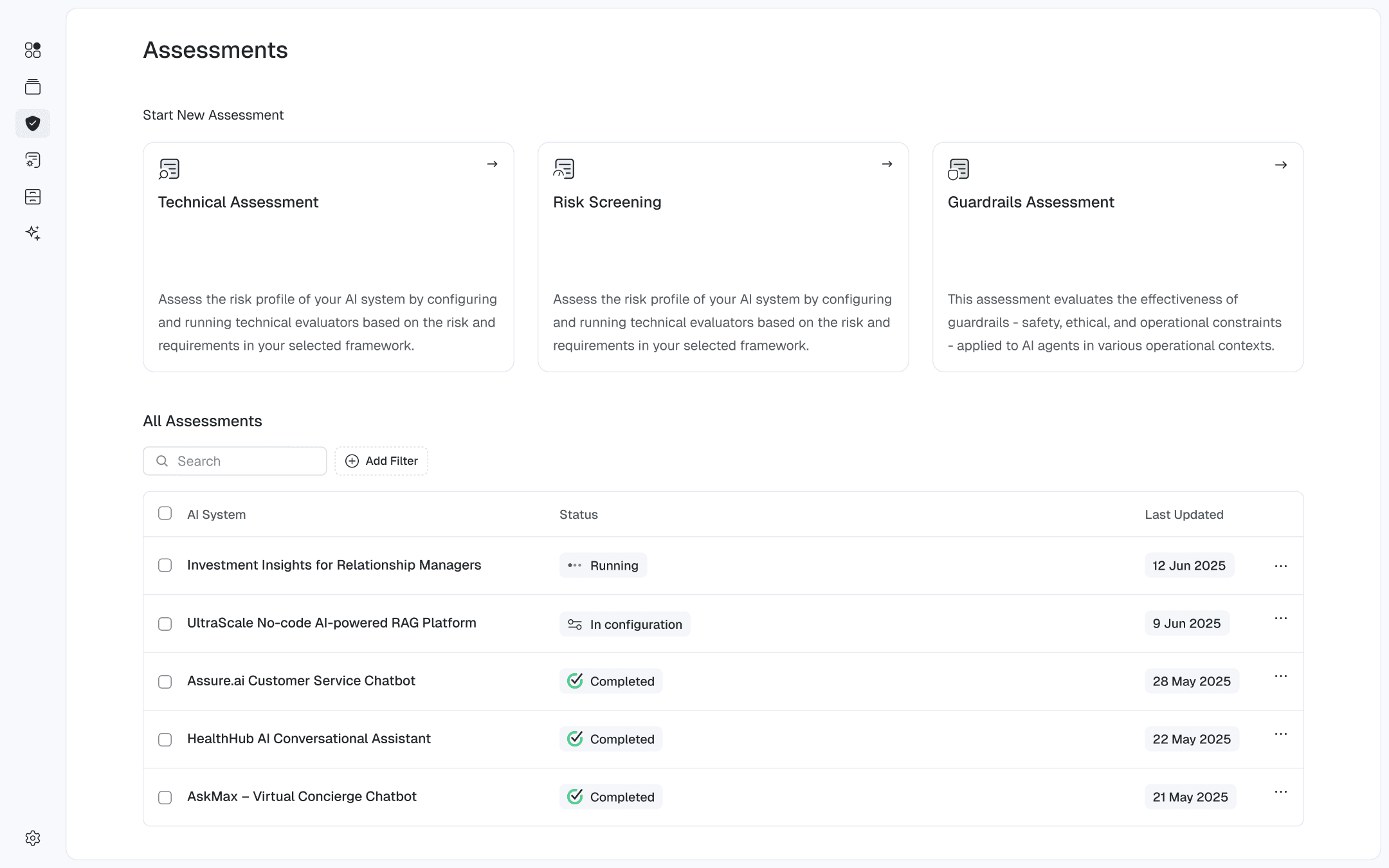
Overview
Challenge
Although the platform is a deeply technical tool for evaluating AI systems, its users span a wide range of backgrounds from engineers to C-level stakeholders. As a result, the experience must be intuitive and easy to use, enabling effective interaction regardless of technical expertise.
Vision And Strategy
Keep the platform simple and clear. Design it to be human-readable by relying on familiar, well-established patterns. Structure the experience like a document, so users can understand it intuitively, with minimal learning effort. Keep all primary screen actions at the top right. A clear information hierarchy ensures the platform feels approachable rather than complex or overwhelming.
[ 1 ] - Designer (Me)
[ 1 ] - Product Manager
[ 2 ] - Back End Engineers
[ 3 ] - Front End Engineers
[ 8 ] - Machine Learning Engineers
Process
How I made it work
This was the process I introduced to bring ideas to life quickly and effectively. It evolved naturally from experience and close collaboration with the people I worked with, allowing us to move fast without sacrificing quality.
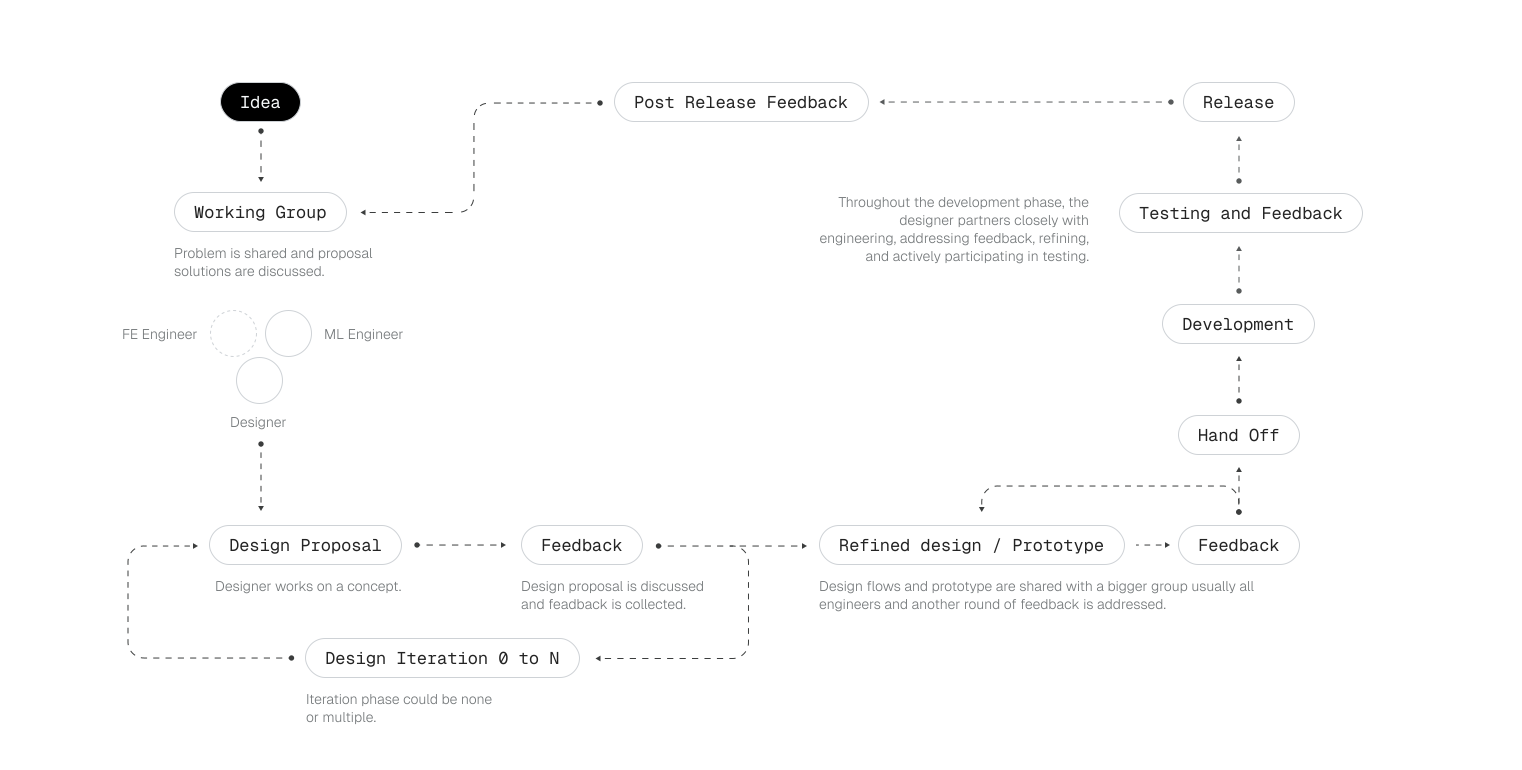
Running Assessment
Creating Assessments
The main use of this platform is assessments. You can run evaluations, analyze the results, and determine next steps to ensure your models are safe, reliable, and ready for production without risking harm to your business or customers.
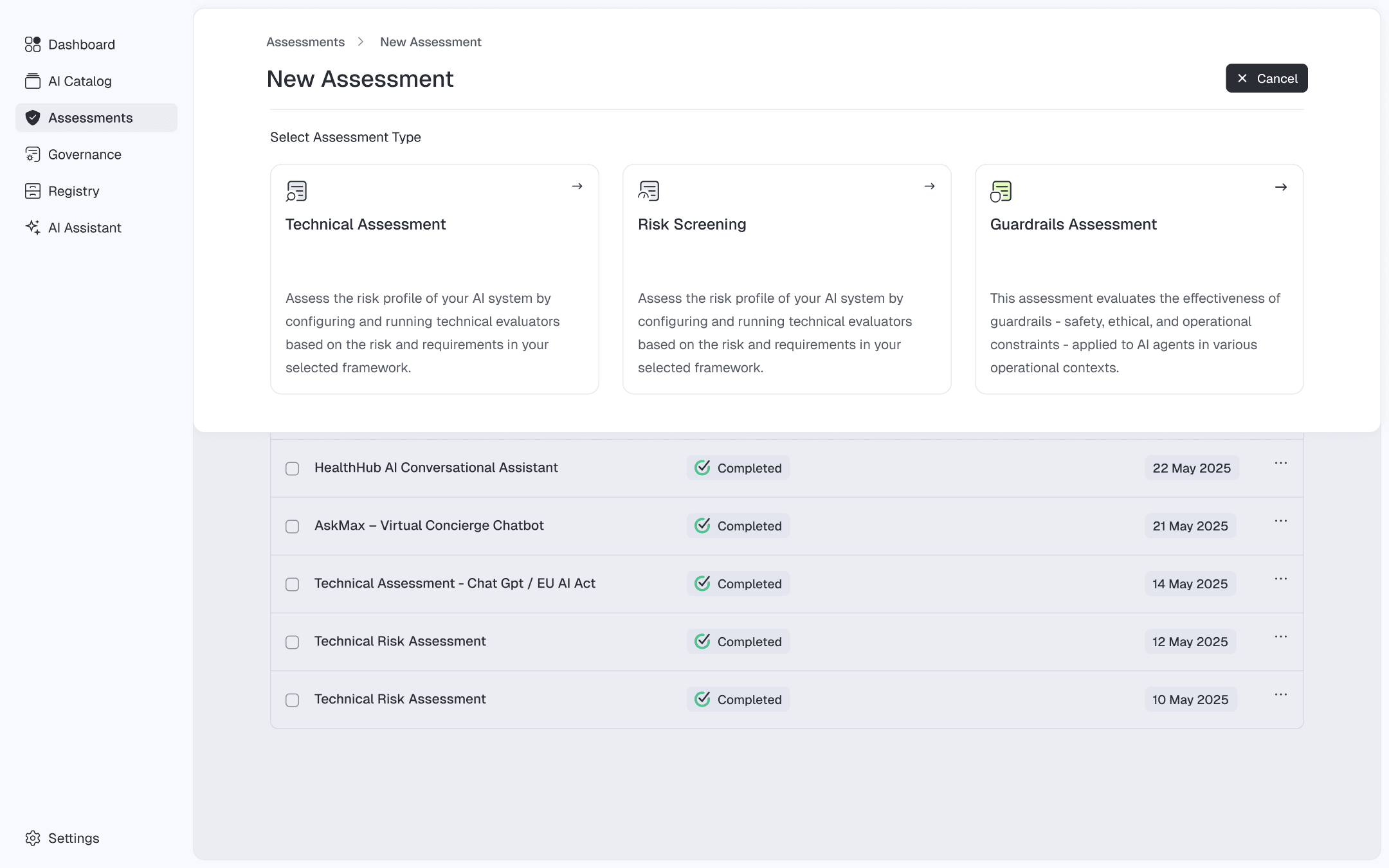
Sliding sheets are used for multi-step interactions, content presentation, and full-page views. This choice aligns with the document-like principle, creating an experience similar to stacked paper pages sliding over each other.
Assessment Configuration
If you run into any difficulties, the AI assistant can help. It guides you through the process, clarifies misunderstandings, and can even handle the more complex tasks for you.
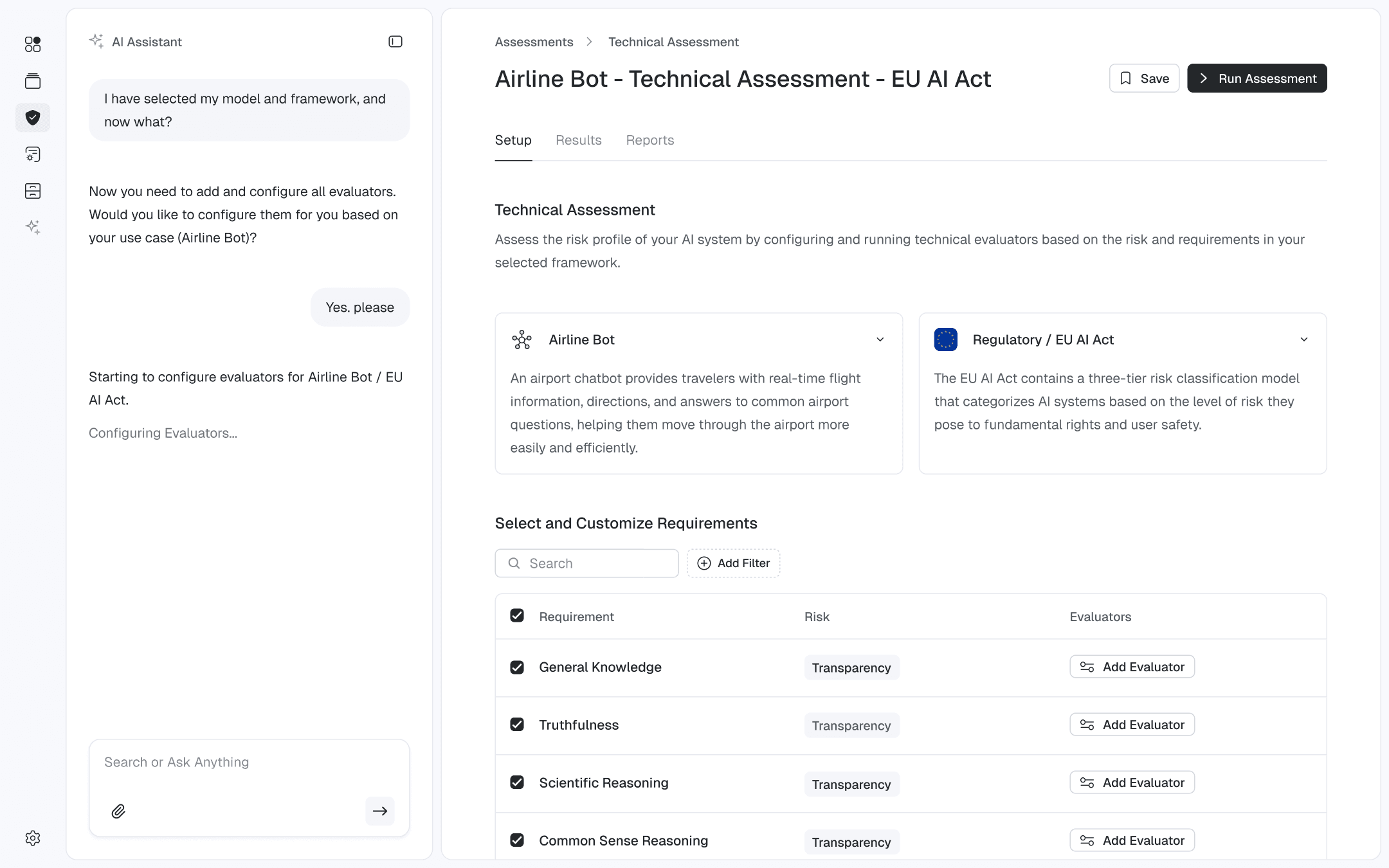
The AI Assistant lives in the main navigation to guarantee constant availability. It opens from the left and shifts the content instead of overlapping it, preserving uninterrupted user interaction.
Manual Evaluator Configuration
Evaluators can be manually configured using the slide-out drawer on the right, which displays the Requirements page with the Evaluator tab selected.
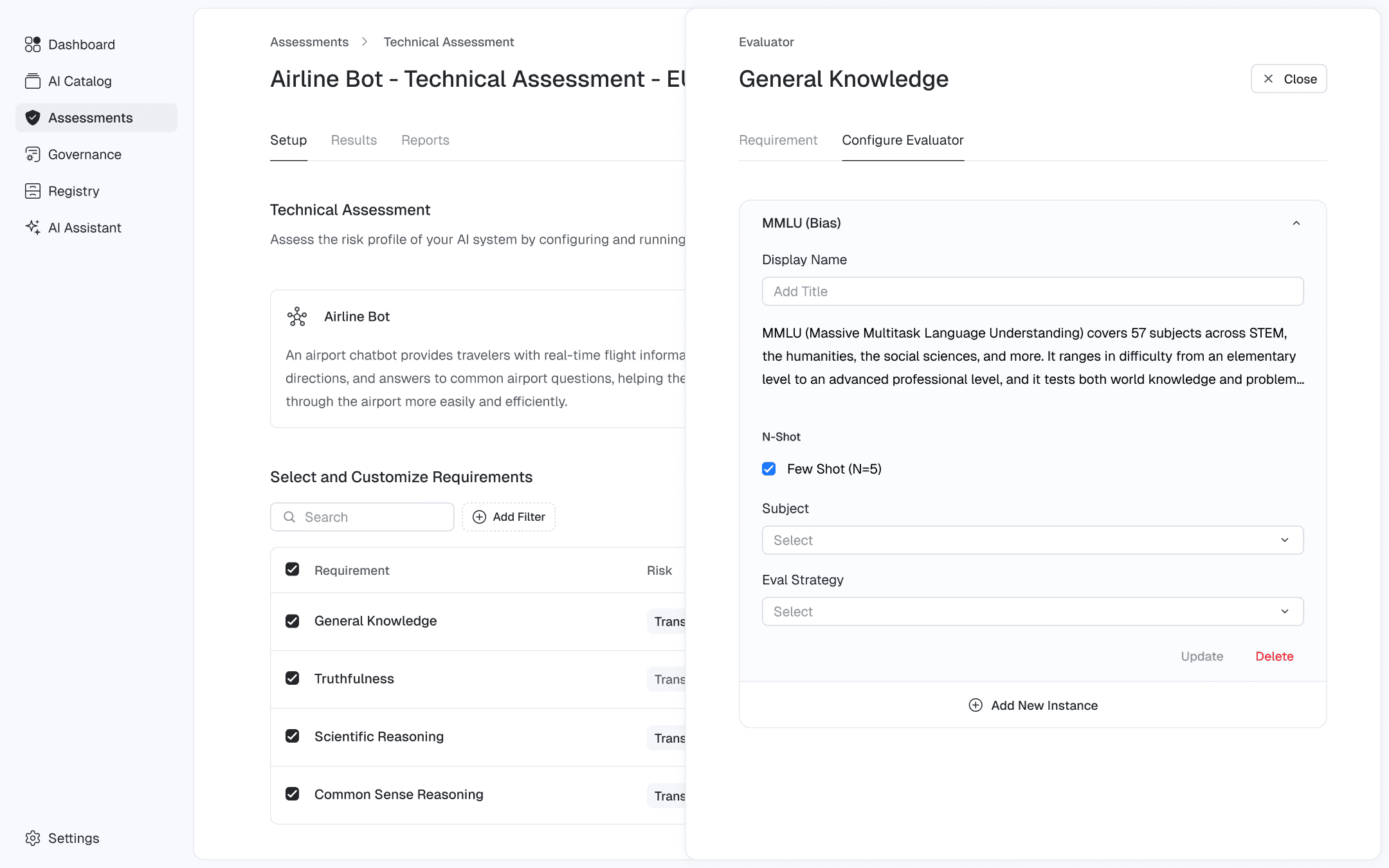
In this case, the drawer overlaps the content while keeping roughly half of the underlying page visible to keep additional context.
Running Assessment
Once all evaluators are configured, the assessment can be started. After launch, users are taken to the Results page, where they can monitor progress and interact with the assessment.
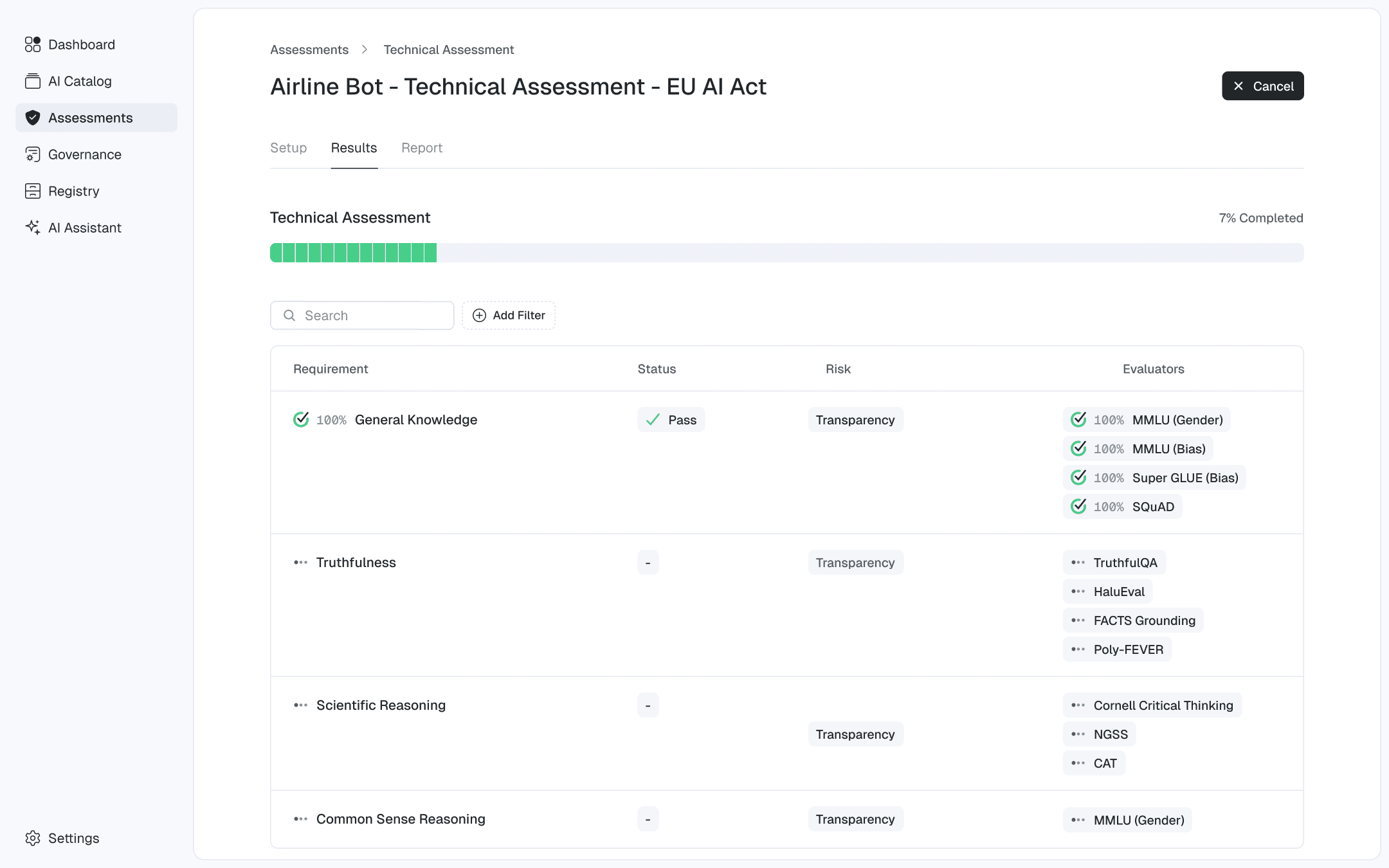
Given the potentially long runtime of an assessment, users can preview completed evaluators as they finish. The existing table is reused to display results, with added detail and scoring information.
Failed Assessment
When an evaluator fails, it typically indicates that the model is not ready for deployment and that corrective actions are required for the evaluator to pass.
Because failures are the primary point of user attention, the interface immediately shifts its color scheme to emphasize the failure, while visually de-emphasizing evaluators that have passed.
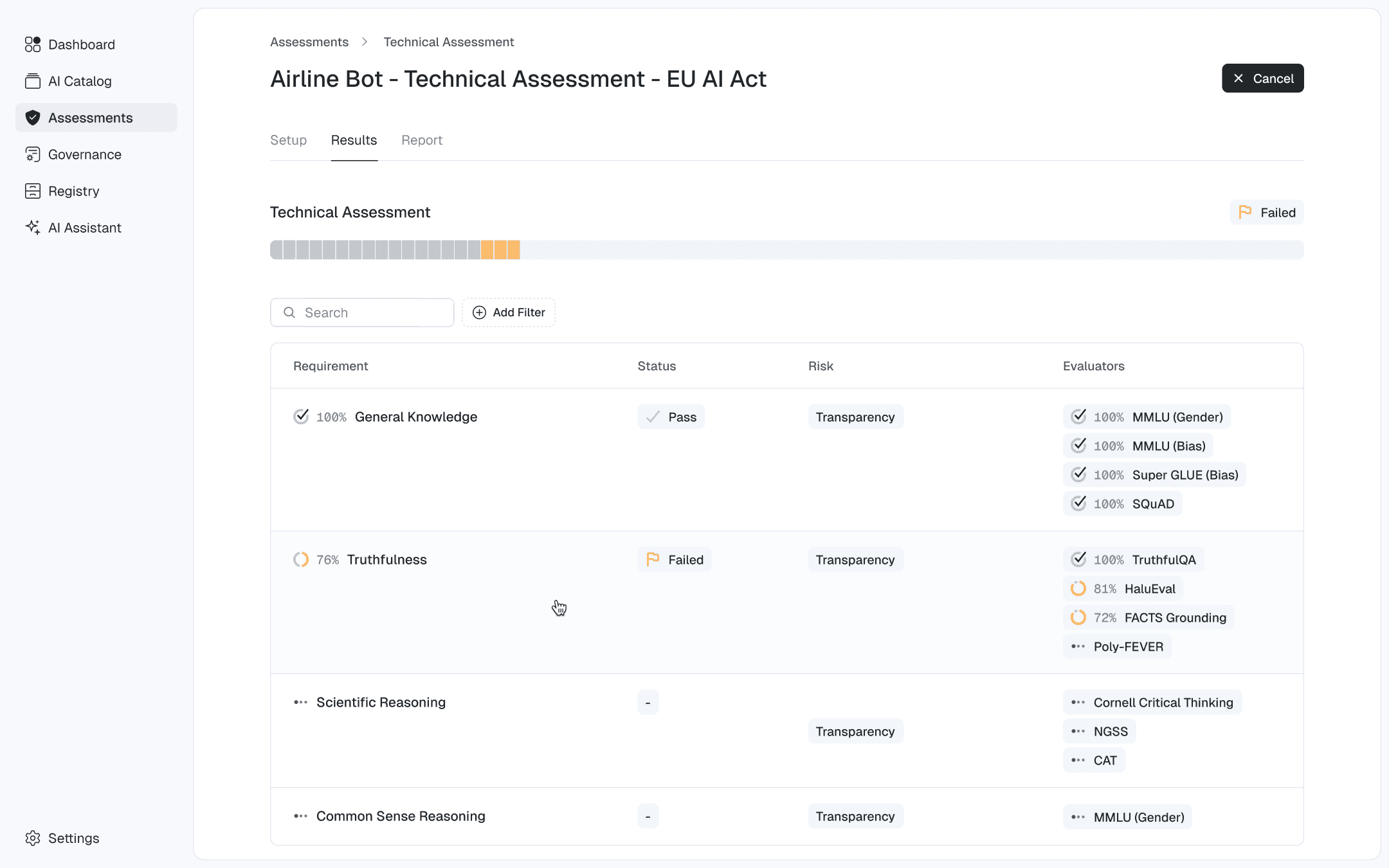
By default, the interface emphasizes failures through its color scheme; this behavior can be turned off in Settings.
Investigating Results
As the assessment progresses, users can click on a completed evaluator’s tag in the table to access detailed results.
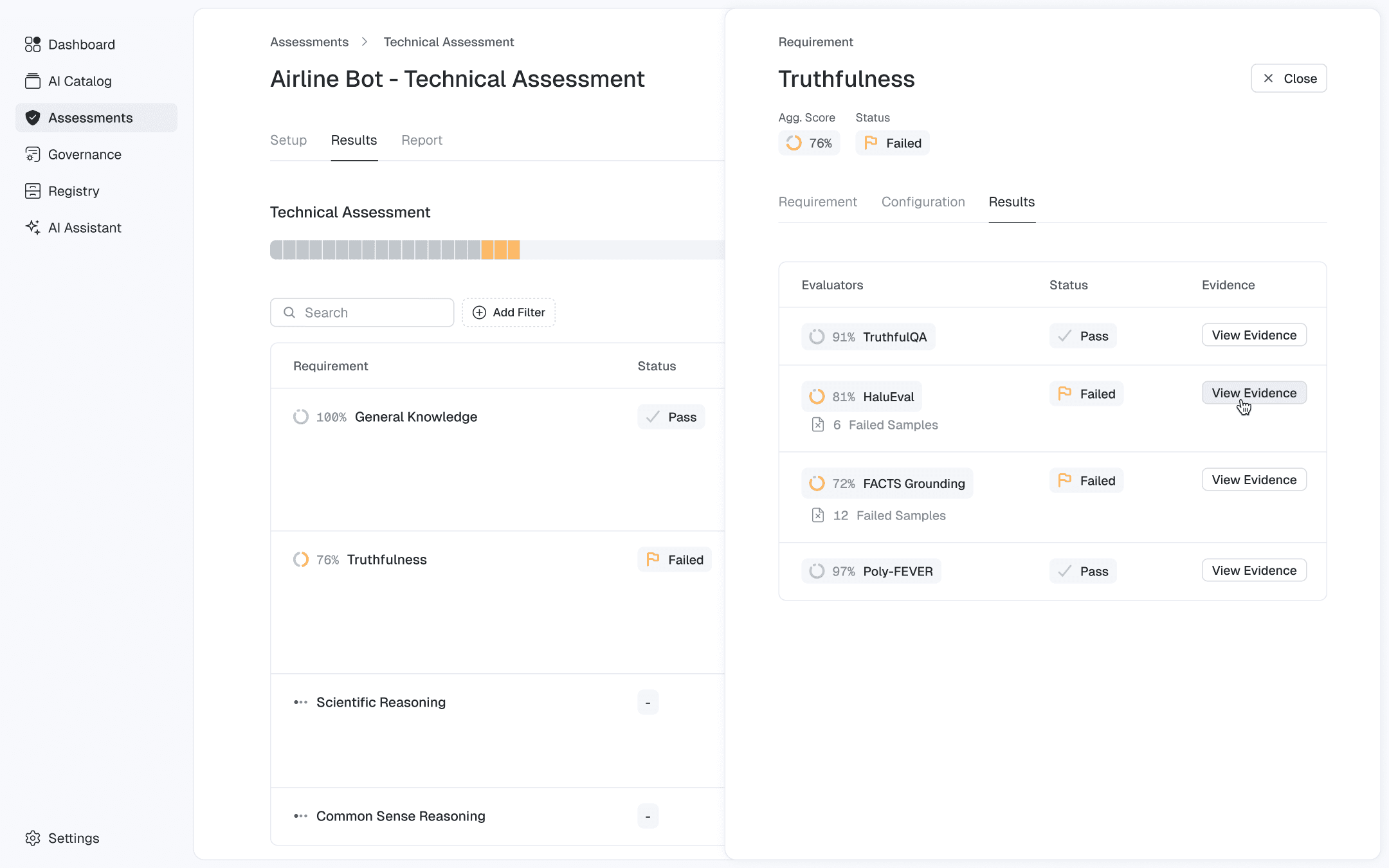
The drawer used for configuration has been extended with a Results tab, allowing users to switch between setup and outcome views.
Evidence
On the Evidence page, users can review all prompts, AI responses, and related information. The evidence can be downloaded and shared to facilitate corrective measures.
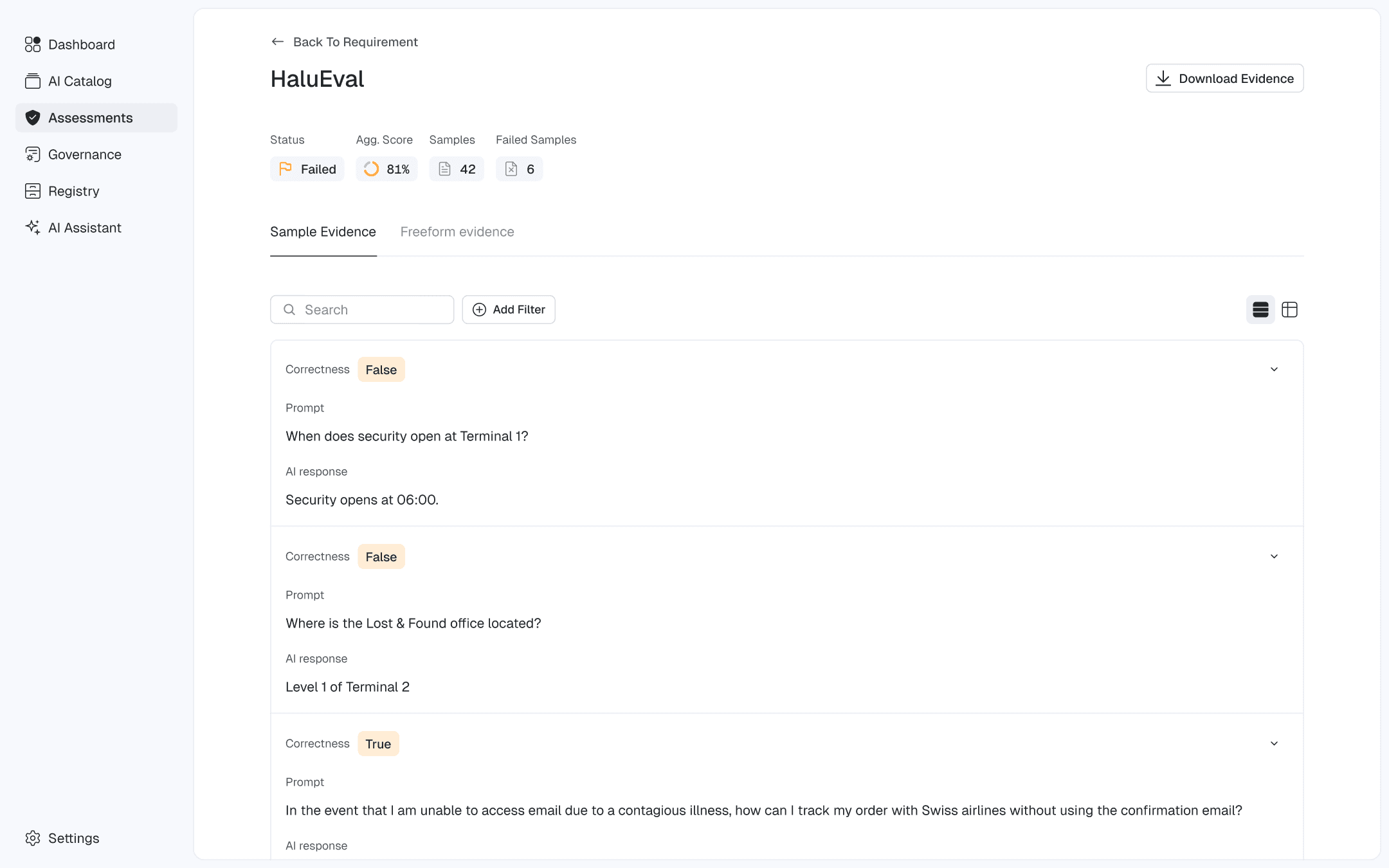
Users can switch between two browsing modes—Essential for a high-level overview and Detailed for in-depth information.
Report
When the assessment finishes, users can generate a detailed report for stakeholders and anyone involved.
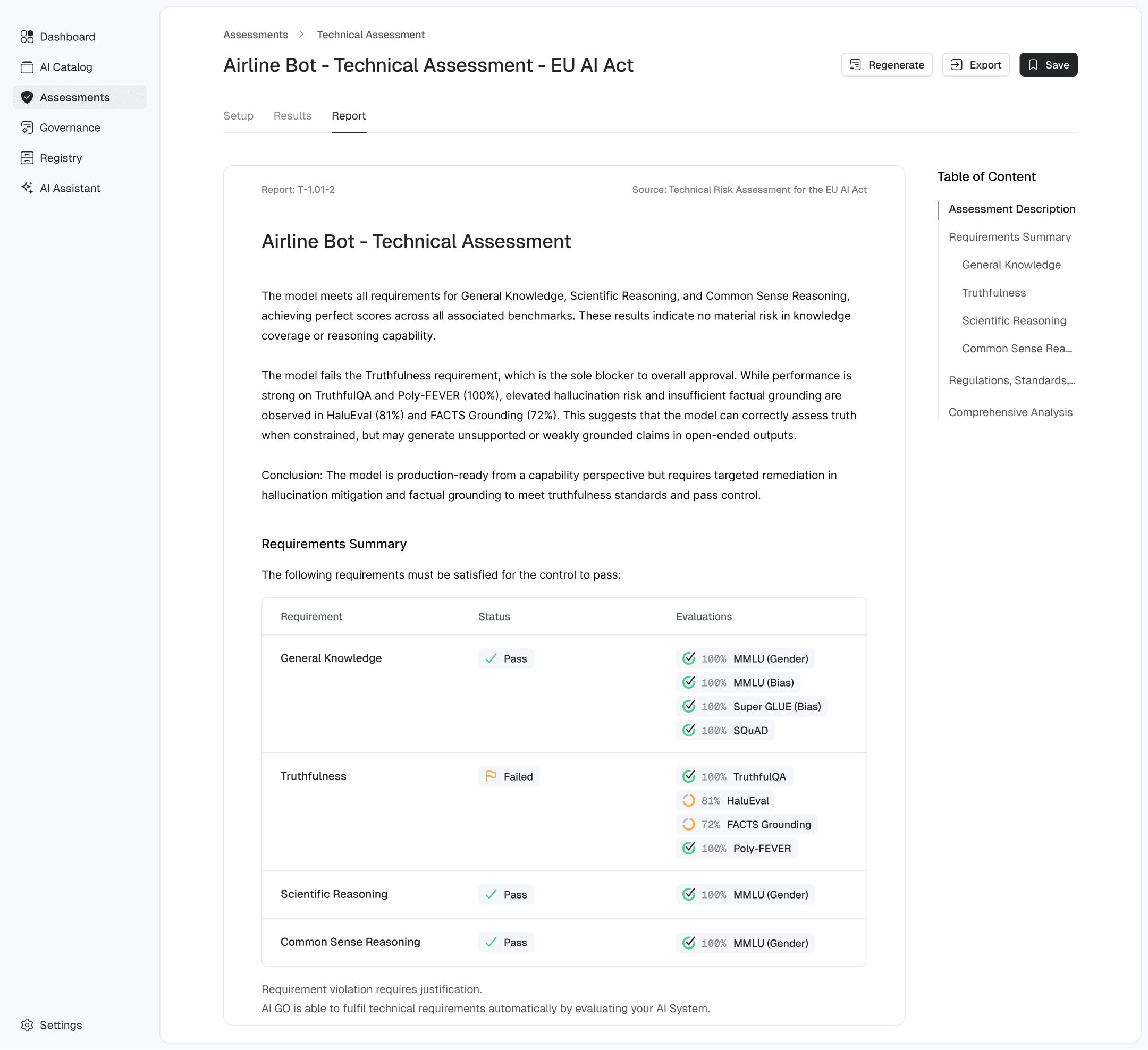
While reports are automatically produced in Markdown, users have full flexibility to modify and adapt them according to their requirements.
Governance
Framework
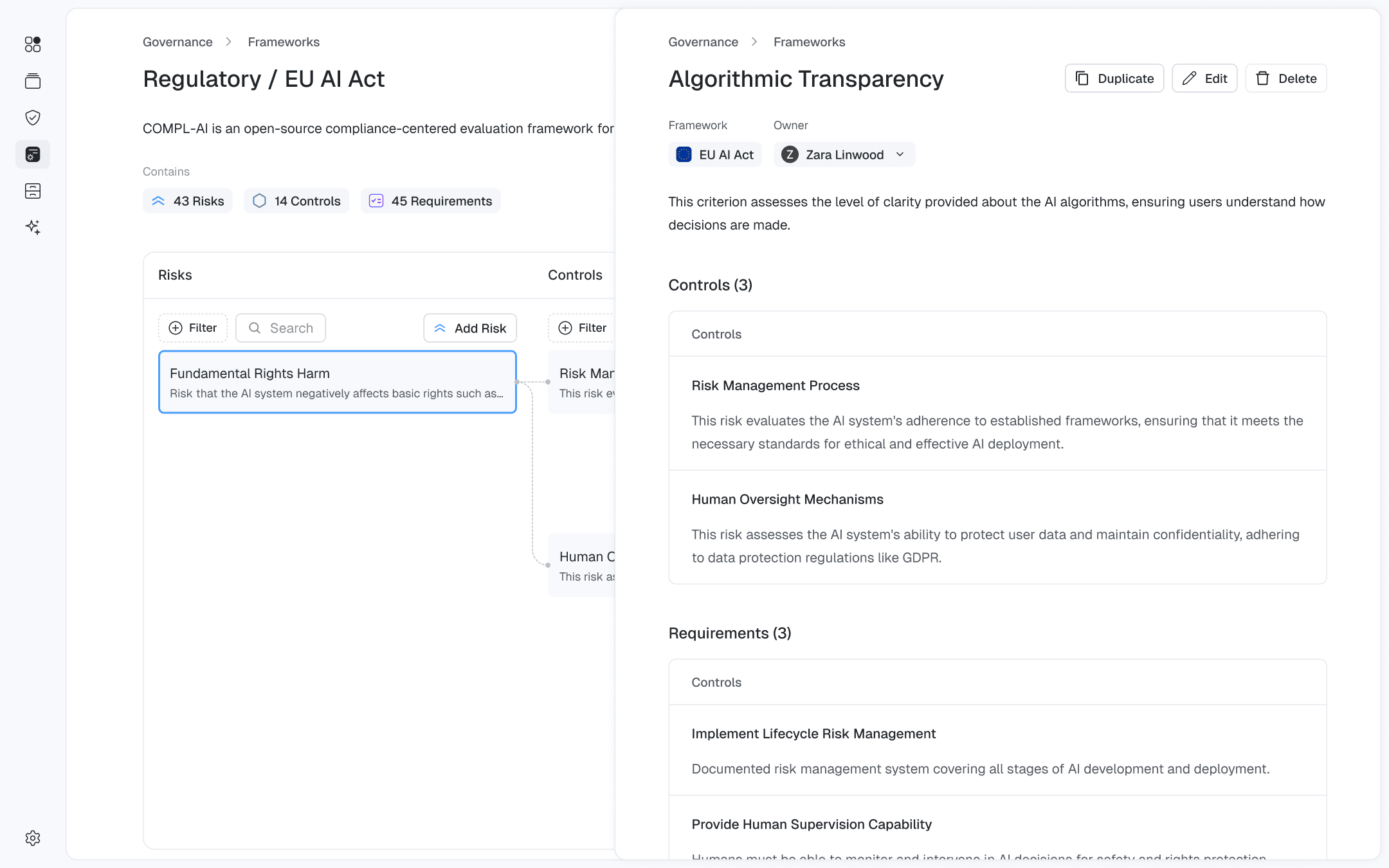
In the Governance section, users can access all organizational frameworks and have tools to create, browse, and modify them.
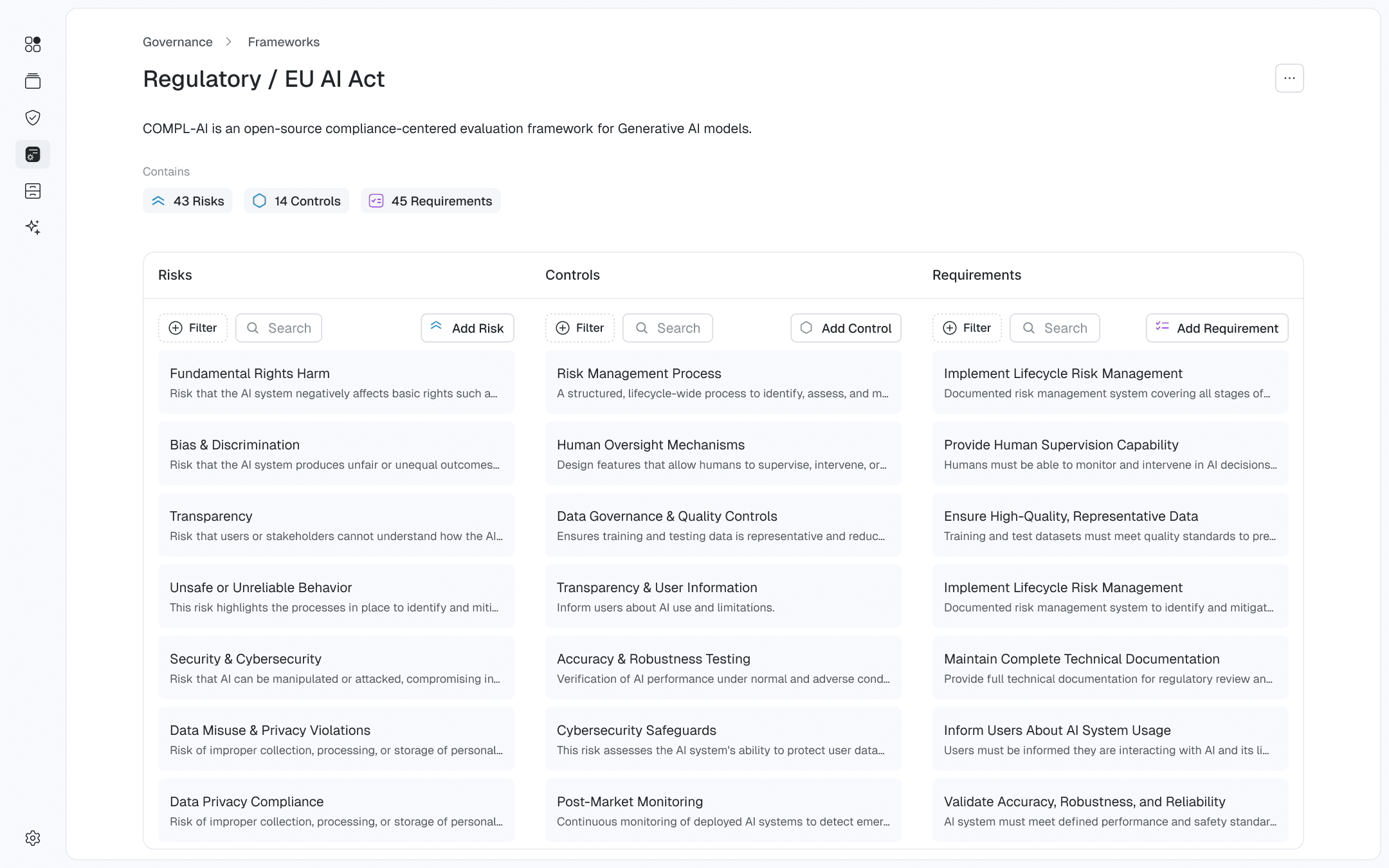
Frameworks consist of Risks → Controls → Requirements, with multiple requirements per control and multiple controls per risk. To make this complex structure easier to navigate, a three-column node view has been provided.
Framework Exploration
Selecting a node highlights it and reveals its nested controls and requirements in a dedicated view.
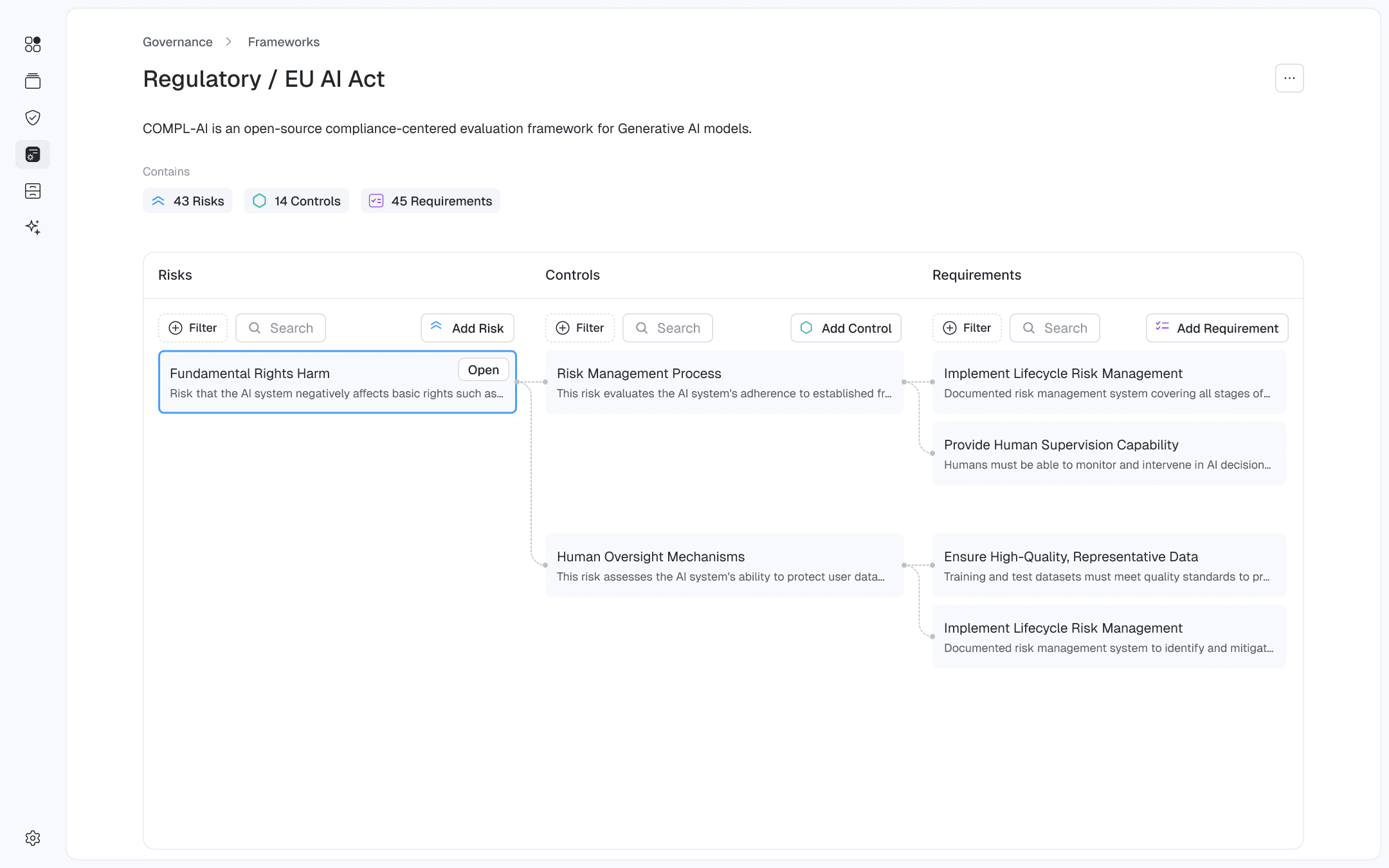
Building this from scratch would have required more resources than we could dedicate, so we leveraged "reactflow.dev", which perfectly met our requirements.
Framework Modification
Outcome
Results
Learnings
This was our first attempt in the AI Governance and Assessment space. While the platform was useful, users were already overwhelmed with new software and were using more established governance tools. They sought a way to integrate our solution with their existing GRC systems, consolidating everything in one place. This approach eliminates the need for a custom UI and reduces the necessity of maintaining the product in its current standalone form.
Users prefer familiar infrastructure over custom solutions, accepting some limitations in flexibility to reduce the complexity of managing multiple interfaces.
Utility -> Usefulness -> Looks
2026